Everything You Need for
Deposits & Partial Payments
From flexible deposit rules to automatic balance tracking, everything you need to accept partial payments lives right inside WooCommerce.
Built for Deposits and Partial Payments
Every core feature lives right inside your WooCommerce dashboard — no separate app, no extra login.
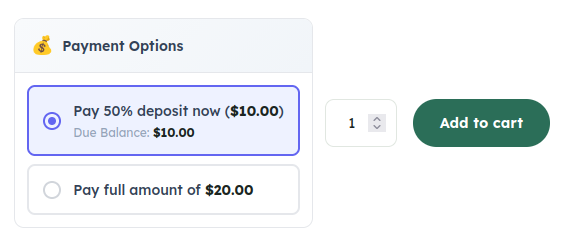
Fixed & Percentage Deposits
Collect a flat amount or a percentage of the price as a deposit, set globally or per product.
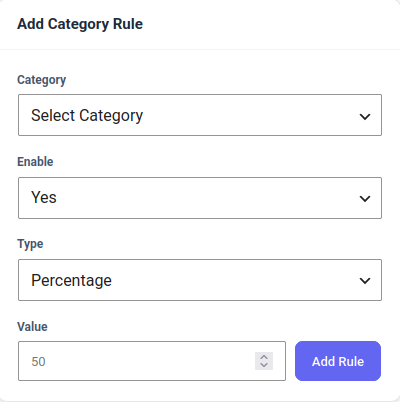
Per-Product & Category Rules
Override the global deposit settings for any single product, or apply a rule to an entire category at once.
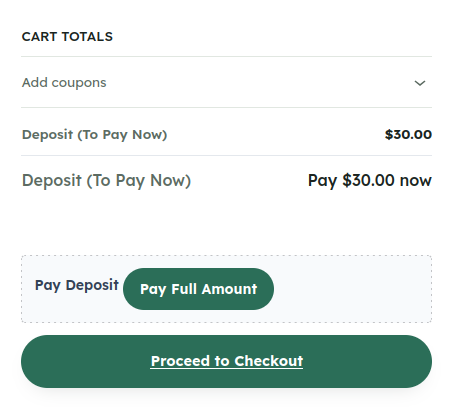
Clear Checkout Breakdown
Customers see exactly what’s due today and what’s owed later, right on the cart and checkout pages.
Balance Tracking & Pay Balance
Every order tracks its remaining balance automatically, and customers can pay it off anytime from My Account.

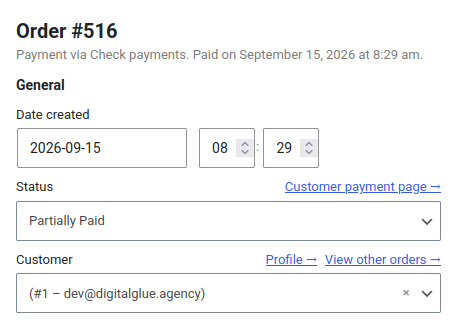
Custom "Partially Paid" Status
Deposit orders get their own order status, so a partial payment is never mistaken for a completed sale.
Email Notifications
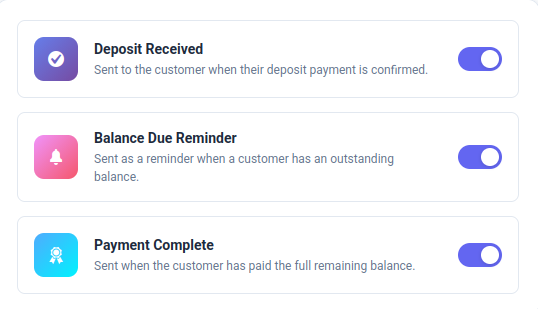
Automatic emails for deposit received, balance due, and payment complete keep everyone in the loop.
Payment Plans & Installments
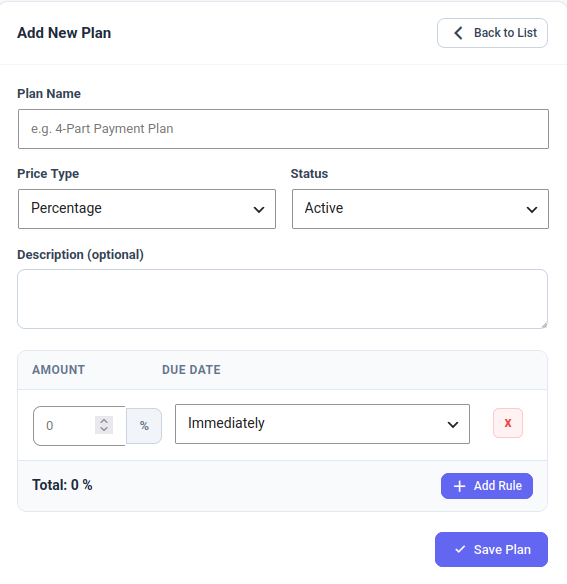
Split the remaining balance into a scheduled series of fixed instalments instead of one lump sum.
Flexible Payments
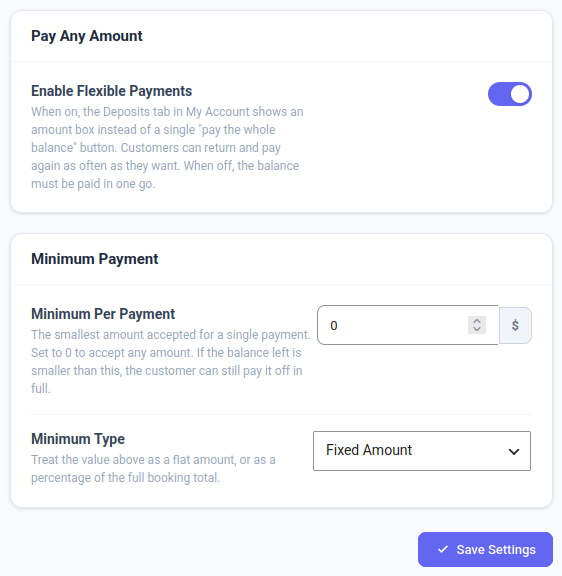
Let customers pay any amount toward the balance, whenever they like, until it’s paid in full.
The principles behind every deposit.
Native to WooCommerce
No separate checkout or app — deposits run through the cart and checkout you already have.
Full Balance Visibility
Every order shows exactly what has been paid and what is still owed, for you and the customer.
Honest Pricing
The deposit and balance are shown clearly at checkout, with no surprise fees.
Flexible by Design
Fixed deposits, percentages, payment plans, or fully flexible payments — configured per product or store-wide.
Start collecting deposits on your own store today.
Frequently asked questions.
How do deposits work for customers?
Customers choose to pay a deposit or the full price right on the product page or at checkout. The deposit can be a fixed amount or a percentage of the price, and the order is marked “Partially Paid” until the balance is settled.
Can I set different deposit rules for different products?
Yes. Set a global default deposit rule, then override it for any single product or for an entire category — a change on one product never affects the rest of the store.
What payment methods are accepted?
Any WooCommerce payment gateway you already have set up. Deposits and balance payments run through your existing checkout, so there is no separate processor to configure.
How does a customer pay the remaining balance?
From My Account, a customer can see the balance owed on any order and pay it off in one click — in one payment, or across as many payments as they like with Flexible Payments (Pro).
Is there a free version I can try first?
Yes. The free plugin includes fixed and percentage deposits, per-product and category rules, balance tracking, and email notifications. The Pro addon adds payment plans, flexible payments, automatic reminders, and reporting.